How to Market Your Doula Business Online: The Ultimate Guide for Birth and Postpartum Doulas
Families don’t hire a doula the way they hire a plumber. They’re choosing someone to be present for one of the most personal experiences of their lives, so doula marketing is really about building trust before you ever meet. This guide shows you how to market your doula business online, step by step, with a simple system you can keep running week after week.
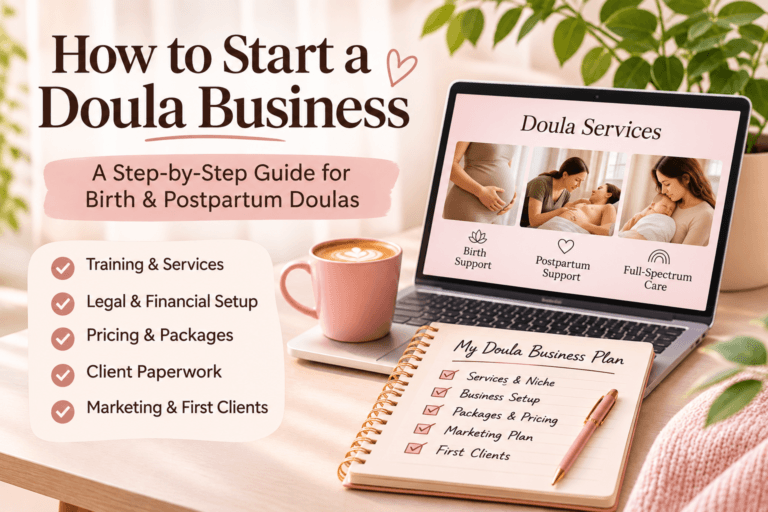
It’s written for birth, postpartum and full-spectrum doulas who want more inquiries without spending every evening on social media. If you’re still setting up the basics, start with how to start a doula business, then come back here.
The short version: a practical online marketing system for doulas has eight parts:
- A clear website that explains who you help and how to book.
- A complete Google Business Profile.
- Helpful content that answers the questions families actually ask.
- Social media with a plan, not random posting.
- An email list you own.
- An easy, obvious way to book a consultation.
- Honest testimonials and reviews, collected the right way.
- Consistency, plus a simple way to see what’s working.
Why is doula marketing different from other small businesses?
Doula marketing is different because families are choosing a person, not just a service, and they usually decide over weeks or months of pregnancy. Your marketing has to show who you are, what support you offer and why a family can trust you, long before the first consultation.
That changes what works. Flashy ads and discount codes matter far less than a clear explanation of your services, a friendly face, real testimonials and a booking process that feels easy. Because doula support usually happens in person, being findable in your city or county matters more than reaching people across the country.
The good news is that none of this requires a big budget. It requires clarity and consistency.
Step 1: What should a doula website include?
A doula website should tell a family, within a few seconds, who you support, where you work, what you offer and how to book a consultation. Everything else (your story, your philosophy, your blog) supports those four answers.
At minimum, include:
- A clear homepage headline, such as “Birth doula support for first-time parents in [your city],” not just your business name.
- A separate page or section for each service, like birth support, postpartum support or childbirth education, with what’s included.
- An About page with a warm, recent photo and why you do this work.
- Pricing information, whether that’s full package prices, a starting price or a range. Families appreciate knowing what to expect.
- Your service area, listed in plain words (cities, counties or a radius).
- A visible “Book a consultation” button on every page.
Use your location and services naturally in your headings and page copy. A phrase like “postpartum doula in [your county]” helps search engines and families understand exactly what you offer. Then open your site on your phone and check that it’s easy to read and that the booking button is easy to tap.
You don’t need a custom-built site to start, but building one from a blank page can easily swallow weeks of choosing layouts and writing every section from scratch. A ready-made doula website template skips that stage. It’s already laid out with the sections this checklist calls for (homepage, about, services, package pricing, testimonials and contact), so your job becomes adding your own words and photos in Canva. There’s no coding involved, it works with a free Canva account, and it can be hosted for free on Canva. That makes it a practical way to get a professional site live much sooner.
Step 2: How do you set up a Google Business Profile as a doula?
Create a free Google Business Profile, fill in every field accurately, and keep it active with photos, updates and replies to reviews. It’s what lets your business appear on Google Maps and in local results when families search for doulas near them.
Google is clear that completeness matters: “Businesses with complete and accurate info are more likely to show up in local search results.” Google also says local results depend mainly on how relevant your profile is to the search, how far you are from the person searching, and how well-known your business is.
To set yours up well:
- Choose the most accurate primary category for your business, then add your services.
- Set your service area. If you visit families at home or at their birth location rather than running a public office, Google’s guidelines for representing your business say that “if you’re a service-area business, you should hide your business address from customers.”
- Write a clear description of who you support and where.
- Add real photos, such as your headshot, your workspace or materials you use, instead of stock images.
- Post occasional updates, such as a new class, availability for upcoming due dates or a helpful tip.
- Reply to every review, positive or not, calmly and professionally. Google notes that replying “shows that you value their feedback.”
One more thing worth knowing: Google states that “there’s no way to request or pay for a better local ranking on Google.” Be cautious of anyone selling guaranteed map rankings.
Step 3: What should doulas write about to attract clients?
Write about the questions expecting and new parents are already asking: what a doula does, how support works, what it costs and how to prepare. Each helpful post shows families your knowledge and personality before they ever contact you.
Google’s own guidance says its ranking systems “are designed to prioritize helpful, reliable information that’s created to benefit people.” For a doula, that means writing from real experience instead of copying generic articles.
Topic ideas that work well for doulas:
- “What does a birth doula actually do during labor?”
- “Doula vs. midwife: what’s the difference?”
- “What’s included in my postpartum doula support?”
- “How much does a doula cost in [your city], and what affects the price?”
- “Questions to ask when interviewing a doula”
- “How to prepare for the first weeks at home with a newborn”
Keep each post focused on one question, answer it clearly near the top, and end with a gentle next step, such as an invitation to book a consultation or download a free checklist. Stay within your scope: share general education and encourage families to talk with their healthcare provider about medical questions.
Step 4: How should doulas use Instagram and Facebook?
Use Instagram and Facebook to help families get to know you, answer their questions and invite them to take a next step. Pick one or two platforms you can keep up with, and post with a purpose instead of posting just to fill the feed.
Social media can be where a family first comes across you, even if they book after visiting your website or hearing about you from a friend. If you’re brand new, pair your social media with personal outreach. How to get your first doula client covers that side in detail.
A simple content mix:
- Educational posts that answer common questions in a few slides or a short video.
- Introduction posts about who you are, your training and the families you love supporting.
- Service posts that explain what’s included and how to book.
- Testimonials, shared only with the client’s written permission.
- Behind-the-scenes moments that show your personality without sharing anyone’s private information.
End posts with one clear call to action, like “Book a free consultation through the link in my bio.” In local Facebook groups, read and follow each group’s rules, and help genuinely before mentioning your services.
The hardest part of social media is usually consistency, not ideas. Designing a fresh graphic for every educational post, testimonial and service announcement is exactly the kind of task that gets pushed aside during a busy week. The Doula Instagram Post Templates Bundle is built around those same post types: 50 editable Canva templates for educational posts, service promotion, trust-building content, quotes and stories. Creating a post becomes a matter of swapping in your text, colors and photos. It works with a free Canva account, and using one set of designs keeps your feed looking consistent and recognizably yours.
Step 5: Should doulas build an email list?
Yes. An email list gives you a direct way to stay in touch with families who aren’t ready to book yet, and unlike social media followers, the list belongs to you. Families may start researching doulas well before they need one, so a few helpful emails can keep you top of mind.
A simple way to start:
- Offer a useful freebie in exchange for an email address, such as a “Questions to Ask a Doula” checklist or a “Preparing for Postpartum” planner.
- Send a short welcome sequence: two or three emails that introduce you, share something genuinely helpful and explain how to book a consultation.
- Email regularly but not constantly. Once or twice a month is easier to keep up and less likely to overwhelm busy parents.
Follow the rules for marketing email. The FTC’s CAN-SPAM Act compliance guide notes that the law “covers all commercial messages,” not just bulk email. Its requirements include:
- Don’t use false or misleading header information or deceptive subject lines.
- Identify the message as an ad when it is one.
- Include your valid physical postal address (see the guide for what counts as a valid address).
- Tell recipients how to opt out, and honor opt-out requests within 10 business days.
Many email marketing platforms can add an unsubscribe link and address footer to every email automatically, but check your settings. This is general information, not legal advice.
Step 6: How do you make it easy to book a doula consultation?
Make booking a consultation obvious and simple: one clear button, a short form or scheduling link, and a fast, friendly reply. If interested families have to hunt for how to contact you, they may simply move on to the next doula.
Check that you have:
- A “Book a consultation” button on every page of your website and in your social media bios.
- An online scheduling link that shows your available times, so families can book without back-and-forth messages.
- A short inquiry form asking only what you need: name, email, due date, location and the type of support they want.
- A quick response. Reply to every inquiry promptly, even if it’s just to confirm you received it and suggest a time to talk.
Then be ready for the moment a family says yes. That’s when organization shows. Sending a clear agreement, intake form and invoice right away feels very different to a family than a contract that arrives days later. If you’re writing your agreement for the first time, this guide to what to include in a doula contract template walks through every clause.
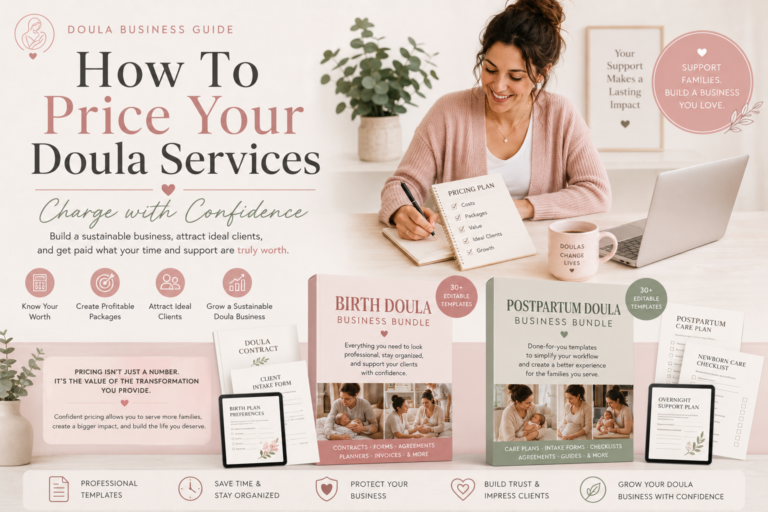
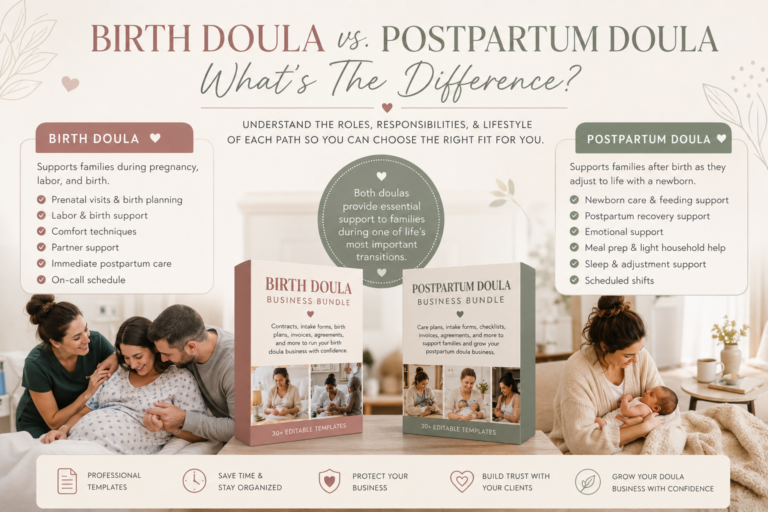
For birth doulas who’d rather not build every document from scratch, the Birth Doula Business Bundle brings that paperwork together in one place. It includes a 4-page birth doula contract, client intake form, welcome booklet, backup doula contract, photo and video release, and invoice and receipt templates, all editable in Canva in US Letter and A4. Postpartum doulas can do the same with the Postpartum Doula Business Bundle, which includes a postpartum contract, intake form, welcome booklet and invoices. Either way, every family gets the same polished, organized experience, and you stop recreating documents for each new client. Have your finished contract reviewed by a qualified local attorney before you use it.
Step 7: How should doulas collect testimonials and reviews?
Ask every client for honest feedback after your support ends, make it easy for them to respond, and get written permission before sharing anything publicly. Specific testimonials that describe what you actually did help future families picture working with you.
To get more useful testimonials:
- Ask at the right time, usually a few weeks after your support ends, when the experience is still fresh.
- Give gentle prompts, like “What did you appreciate most about our time together?” or “What would you tell a friend considering a doula?”
- Ask for permission in writing before sharing a testimonial, a photo or the client’s name, and let them choose how they’re identified.
- Share testimonials where families decide: your homepage, service pages, booking page and social media.
Follow Google’s rules for reviews. Google Maps’ content policy prohibits reviews “that have been paid for, directly or in kind,” and says businesses may not “offer incentives – such as payment, discounts, free goods and/or services – in exchange for posting any review.” It also says businesses may not “selectively solicit positive reviews from customers.” In practice:
- Ask every client, not just the happiest ones.
- Never offer a discount or gift in return for a Google review.
Be transparent about free or discounted clients. If you share a testimonial from a family who received free or reduced-fee support, the FTC’s endorsement guidance explains that a connection like that should be disclosed.
Step 8: How long does doula marketing take to work?
Online marketing builds over time, so give each channel several months of consistent effort before deciding whether it’s working. A website, a Google Business Profile, helpful posts and an email list all keep working for you long after you set them up, as long as you keep them current.
Consistency matters more than intensity. A realistic routine you can keep will do more for you than a burst of activity followed by weeks of silence.
Track what’s working with one simple habit: ask every family who contacts you, “How did you hear about me?” Write the answer down. After a few months, you’ll know whether your inquiries come from Google, Instagram, referrals or your website, and you can spend your time where it pays off.
Which marketing channels should a new doula start with?
Start with the channels that keep working without daily effort, your website and Google Business Profile, then add one social platform and an email list. This table shows what each channel does best.
| Channel | What it does best | Ongoing effort | Good first step |
|---|---|---|---|
| Website | Explains your services and turns visitors into consultations | Low once it’s set up | Add a clear headline, services, pricing and a booking button |
| Google Business Profile | Helps local families find you on Google and Maps | Low | Complete every field and set your service area |
| Blog posts | Answers families’ questions and builds trust over time | Medium | Write one post answering your most common question |
| Instagram or Facebook | Shows your personality and keeps you visible | Medium to high | Plan a simple weekly content mix |
| Email list | Stays in touch with families who aren’t ready to book | Low to medium | Create one freebie and a short welcome sequence |
| Testimonials and reviews | Gives new families confidence to reach out | Low | Ask every past client for honest feedback |
What online marketing mistakes do doulas make?
Common mistakes include posting without a plan, having a website with no clear services or booking button, ignoring local search, and never asking clients for reviews. Each one is easy to fix once you know to look for it.
Watch out for these:
- Posting inconsistently, then giving up before a channel has time to work.
- A website without clear service pages, pricing information or a booking button.
- Ignoring your Google Business Profile or leaving it half finished.
- Never asking for testimonials or reviews, or asking only the happiest clients.
- Trying to be on every platform at once instead of doing one or two well.
- Sending marketing emails without an unsubscribe option or a postal address.
- Not tracking where inquiries come from, so you can’t tell what’s working.
What other questions do doulas ask about marketing?
Here are quick answers to common doula marketing questions.
Do doulas need a website to get clients?
You can get early clients through referrals and social media, but a simple website makes you easier to find and easier to trust. It gives families one place to see your services, pricing and booking link, and it supports your Google Business Profile.
How much should a doula spend on marketing?
There’s no set amount. Many of the most effective steps (a Google Business Profile, helpful posts, social media and asking for reviews) cost time rather than money, so start there before paying for ads.
Is Instagram or Facebook better for doulas?
It depends on where the families in your area spend time. Choose the platform you can post on consistently, and use local Facebook groups for community engagement if they’re active where you live.
How do I get more Google reviews as a doula?
Ask every client for honest feedback after your support ends, and send them a direct link to your review page. Don’t offer discounts or gifts in exchange for reviews, and don’t ask only the clients you expect to be happy, as both go against Google’s review policies.
Can I market my doula services before I’m certified?
If you start taking clients while you’re still completing training, describe your training and credentials accurately. Never call yourself certified until you are, and check the requirements of your training organization.
What’s the best way to keep doula marketing manageable?
Build a simple marketing system once, then maintain it with a small weekly routine. A finished website, a complete Google Business Profile, one social platform, an email list and a habit of collecting testimonials will keep working in the background of your business.
Start with the step you’re missing most today, finish it, then move to the next one. Small, consistent improvements add up.
Much of what wins clients also happens beyond your website: how you position yourself, how families come to trust you online, and how referrals and repeat clients find their way to you. If you’d like to go deeper on that side of marketing, the How To Get Clients as a Doula Guide covers each of these, along with common mistakes that may be stopping clients from booking. It’s an instant download you can work through at your own pace.